AI Agents vs. Prompts: When to Use Each, and When Not To
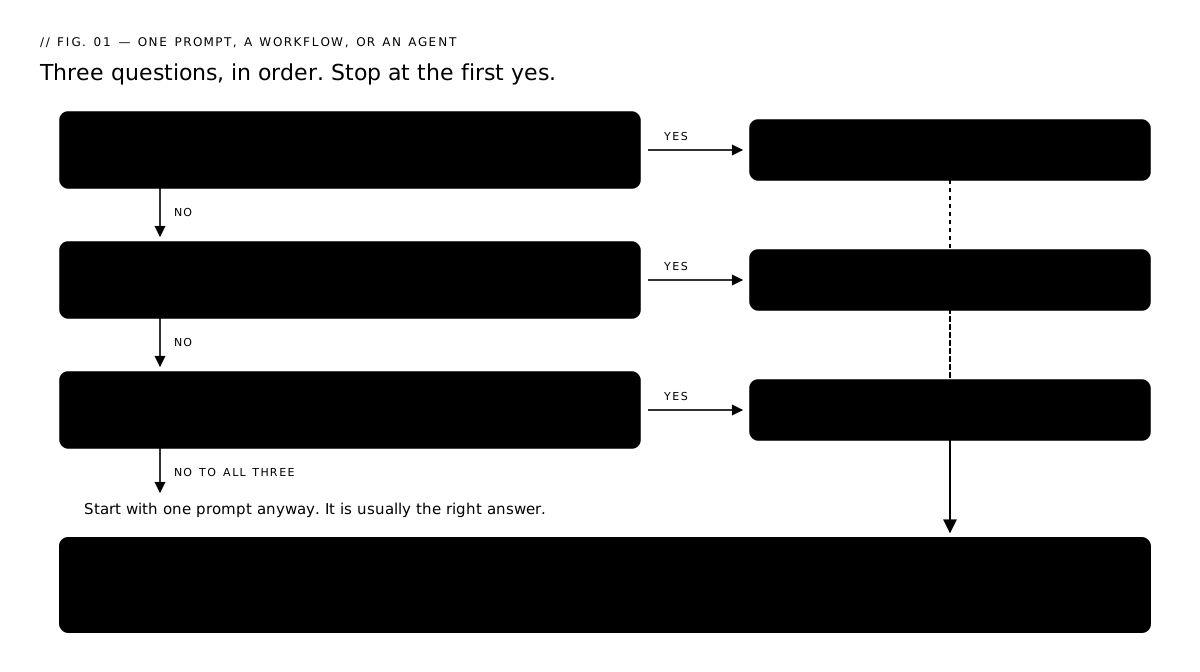
Use one prompt for single-step work you can check yourself. Use AI agents when the next step depends on what the model finds. Here is how I decide.
The short answer. Most jobs need one prompt: single-step work you can check by reading the answer. A workflow is worth building only once you can write down every step in advance. An AI agent is for the case where the next step depends on what the model just found, or where someone has to sign off in the middle.
Build an agent when the work genuinely needs several decisions along the way. A job is not agent work just because AI is in it. When you are unsure which side a job lands on, write its steps down and run the step test below.
| Use | Best when | Example |
|---|---|---|
| One prompt | One task, one output, you can check it by reading it | Summarize a report |
| A workflow | Several steps, and you know the sequence before you start | Tag 300 reviews, then summarize the tags |
| An AI agent | The next action depends on what the model just found | Research a question, judge what came back, pick the next tool |
| Plus a person | Added to any of the three, when a mistake costs money or sticks | Approvals, payments, publishing, anything a customer sees |
That last row is not a fourth option. A person in the loop is something you add to whichever of the three you picked. The system I run is a workflow with a person in it.
The vocabulary underneath this (agentic, RAG, context window) is in the buzzwords guide. If your agents need to read your own files to answer, that mechanism is how RAG gives an agent access to your own documents.
What does one AI prompt get wrong?
It answers everything in one confident response, with no checks on which parts the model was most sure of. Sources depend on the tool and the prompt: Perplexity cites them on every answer, and ChatGPT shows them when it searches the web. A cited answer is easier to check.
Forty emails go in, with a request for a tag on each plus a summary. Forty tags and a summary come back. No field tells you which email the model read carefully.
What one call does well:
- Reshaping messy text into a form you described.
- Judging one thing against one rule you wrote down.
- Drafting from a brief.
Where it stops:
- Everything arrives at the same volume. A tag it was sure of and a tag it guessed at print in the same font.
- Asking the same model to confirm its own work is how six fake cases reached a court filing. Lawyer Steven Schwartz asked ChatGPT whether the cases it had given him were real. It said yes. The sanctions order is in the buzzwords guide.
- One call has no steps, so there is no step to check. A wrong answer comes back as one piece and you re-read the whole thing.
How do you tell a workflow from an AI agent?
Write the steps down before you build anything. A numbered list, with the tool each step uses.
Then ask one question of every step: would this step do something different depending on what an earlier step found?
- Every answer is no. The order is fixed. Plain code or a scheduler can run it, and that is a workflow.
- Any answer is yes. That step picks its next action from whatever the model just returned. You need an agent for that step, or a person.
A step is allowed to read an earlier step's output. Tag 300 reviews, then summarize the tags: the summary reads whatever the tags say, but it runs the same way every time. The line is crossed when a step's result decides which step comes next.
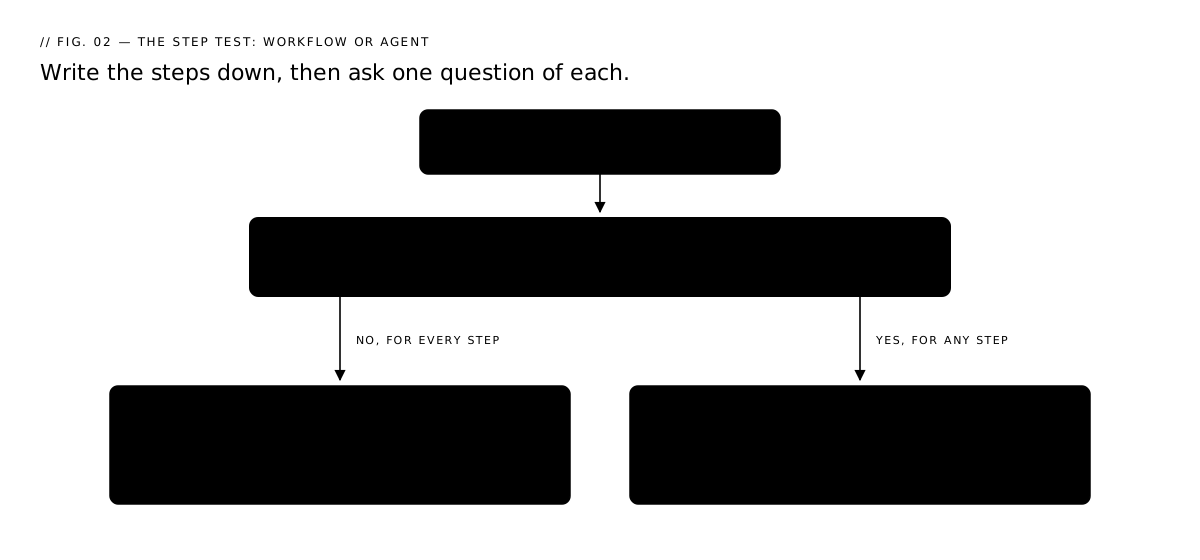
When I wrote my own list down, every answer was no except one: the call at the front that reads a request and decides which of my agents run. That one step is agent territory. Everything after it runs in a fixed order.
Why I split one job across nine AI agents
I run nine single-role AI agents in my AI office, a Chief of Staff plus eight specialists. Most weeks, most jobs, one prompt still beats all nine of them.
An agent is a role written in prose, plus a loop that calls a model until it stops asking for tools. My roles are markdown files. Each agent's system prompt is three documents joined end to end: the Company Brain, that role's own prompt, and the house rules all nine carry.
One line of code joins those three documents. Three of the nine agents are copy roles and get reference documents on top, so Growth's prompt runs to six:
# agents/anthropic_runner.py, build_system_prompt() — the three every role gets
prompt = f"{company_brain()}\n\n---\n\n{load_system_prompt(role)}\n\n---\n\n{HOUSE_RULES}"
All nine role files are prose. Strategy's is the shortest at 920 words. Growth's is the longest at 6,716.
Each one carries a YAML block naming the fields it should return. Nothing in the API call enforces that block. It is a request written in prose, so the parser has to handle a reply that doesn't match the format:
# agents/anthropic_runner.py, parse_response() — read it as YAML if you can, keep the words if you can't
try:
    data = yaml.safe_load(candidate)
except yaml.YAMLError:
    data = None
if isinstance(data, dict):
    return data
return {
    "summary": text.strip(),
    REPLY_UNREADABLE: "the reply was not a YAML mapping, so every structured field "
    "it may have carried — including any decision for the CEO — was lost",
}
So a reply that ignores the format still lands. The run keeps the paragraph, marks what it could not read, and carries on.
The loop has a ceiling. Each agent gets 8 tool turns, raised to 24 for the roles that read my repos or search the web, because a site-wide audit once spent all 8 turns listing and reading pages and never got to the pull request.
Anthropic's team calls that kind of cap a stopping condition, and gives the reason for it: "stopping conditions (such as a maximum number of iterations) to maintain control."
Four ways agents fail that prompts don't
- It loops. The model calls a tool, reads the result, and calls it again. With no ceiling it runs until your card stops it.
- Errors compound. Step two takes step one's output as given. Each step looks fine on its own and the chain is wrong, which is harder to spot than a single bad answer.
- The context fills. Every tool result stays in the conversation. Far enough in, the original instruction is the thing that gets squeezed out.
- The pause evaporates. A run waiting on your approval, held only in memory, is gone after a restart. That is what the checkpointer below is for.
One question belongs on this list before you build anything: what is the worst thing this agent can do while nobody is watching? Mine can open a draft pull request. I still merge it myself. I test every new tool against that line first.
How do you split a job into steps?
Cut where you would want to check the work.
Ramp did that to one question, what industry is this business in, and cut it in two: find the plausible codes, then pick one. Now there are two scores instead of one. When a number drops, they know which half moved.
| Step | What runs | Scored on | What tuning bought |
|---|---|---|---|
| Retrieve | Embed the business description, compare it to the NAICS knowledge base, return candidate codes | acc@k: is the right code anywhere in the shortlist |
"up to 60% in acc@k" |
| Select | A model picks the final code out of that shortlist | fuzzy accuracy: partial credit when the leading digits match | "5%-15% improvement in fuzzy accuracy" |
Their select step splits again. One prompt takes a long list of codes with no descriptions and returns a shortlist. A second prompt gets the fuller descriptions and chooses. A check then confirms every answer is a real NAICS code.
Copy the fuzzy accuracy idea. NAICS codes are six digits and hierarchical, so predicting 123499 when 123456 was right scores better than 999999, because the first four digits line up. If you grade right-or-wrong, you can't see which half of the pipeline is weak.
How do you know the split helped?
Score the old way before you change anything. Twenty examples is enough.
- Write down 20 real inputs and the answer you wanted for each. Last month's actual emails, reviews or invoices. Skip it and every number after it is a feeling.
- Run all 20 through the prompt you have now. Count how many you would have shipped without editing. That count is your baseline. Note how long it took.
- Split the job and run the same 20 again. Score each half separately. Did step one hand step two something workable? Did step two choose well out of what it was given? Two columns in a spreadsheet does it.
- Compare on all three numbers: accuracy, time, cost. If cost went up ten times and accuracy moved two points, undo the split.
- Keep the 20 and rerun them after every prompt change. This is how you find out that today's improvement broke something that worked last week.
Then break it on purpose. Feed it something it should refuse or flag, and watch whether it does.
Ramp's two scores are this same idea at production scale. Yours starts in a spreadsheet.
What does an agent cost to run?
More than one prompt, on the clock and on the bill. A single call sends your text once. An agent resends the conversation so far on every turn, so turn eight pays for turns one through seven again.
Anthropic's team says it plainly: "Agentic systems often trade latency and cost for better task performance, and you should consider when this tradeoff makes sense."
A shared metered key was burning about $45 a day. It sat in my website's chat widget and in roughly a dozen other projects, including my AI office.
I checked the widget first, since it was the easiest thing to look at. That was the wrong instinct. A number from a key everything shares does not point at any one thing on it.
My tracing tool only records runs that start through it, and on the days it caught my agents, the highest was $3.56. A scheduled job or a command I type myself spends real money there and leaves no trace, so $3.56 is a floor, not the full cost.
Moving my agents onto the subscription I already paid for took them off that key. Same work, no meter.
Trust the invoice over the dashboard. A tracing tool reports on the runs that went through it. The invoice reports every call that reached the provider, including the ones nothing was watching.
Before the first scheduled run:
- Give the agent its own key, not one shared with anything else. Otherwise you cannot tell what it costs, which means you cannot tell whether it is worth it.
- Cap the turns in code. Mine stop at 8, or 24 for the ones that read my repos.
- Set a spend cap in the provider's dashboard, and an email alert below it.
Who decides which agents work a request?
A planner call, before any specialist runs. It reads the request and the roster and returns stages. I wrote its instructions to favor the smallest answer that works:
# orchestrator/router.py, PLANNER_SYSTEM — the planner's own standing instructions
Prefer ONE stage. Add a second only when the second group genuinely needs the
first group's output to do its job — a specialist reviews or writes something,
and another specialist then acts on that specific result.

Staff the roles the request actually needs. Two or three is normal; nine is
almost never right.
Then I check the plan in code before anyone runs on it. normalize_stages keeps only the eight ids on the specialist roster, so anything else the model returns is dropped. It also:
- keeps a repeated role in its first slot only
- deletes empty stages
- caps how deep a chain can go
MAX_STAGES = 3 # a handoff chain longer than this is a project, not one run
If nothing survives that pass, a plain keyword route runs instead. A run with zero specialists does no work at all.
The escalation field gets the same treatment. The planner's reply may name a bigger model for a role. I keep an entry only when both halves check out: the role is one staffed this run, and the tier is a name I listed. A made-up model id never reaches a runner or the bill.
I asked my office a question once without naming anybody, and the answer came back from engineering in four minutes. More on that run in the buzzwords guide.
What can two agents see of each other?
Agents in the same stage see nothing of each other. Every role in one stage receives the same state, and nobody's output is in it yet:
# orchestrator/graph.py, specialists() — one stage, everybody at once, nobody reading anybody
results = await asyncio.gather(*(runner(role, stage_state) for role in pending))
When the stage finishes, all of its replies go into the state and the next stage reads them. I staged it that way so Growth can rewrite a page in stage one and Engineering can open the pull request for it in stage two, inside the same run.
Where does the run stop and wait for me?
On one line. A proposed action that needs my approval halts the graph there:
# orchestrator/graph.py, approval_check() — the one line a run stops on
decision = interrupt({"type": "approval_request", "action_type": action_type, ...})
Two things have to be in place before that pause survives a restart: a checkpointer and a thread id. Mine is AsyncPostgresSaver, so the paused state is a row in Postgres.
I can answer two days later, after a reboot, and the run resumes on that line. Their docs put it as "The value passed to Command(resume=...) becomes the return value of the interrupt call."
One rule from the same page decides how you write the rest of the node: "the node restarts from the beginning of the node where the interrupt was called when resumed, so any code before the interrupt runs again."
So a write, a message or a charge either moves below the interrupt or becomes safe to repeat.
My own approval row sits above it, because the queue has to show something waiting while the run is parked. That row is keyed on the thread plus the exact action, so a resume lands on the same row instead of writing a second one. I learned that from a pile of duplicate rows.
Keep it to one interrupt per node. Two in the same node get their answers matched by position, so adding a third above them shifts the pairing by one: answers land on the wrong interrupts and nothing warns you.
Which jobs are worth splitting?
Split a job when you can name what would go on each half's scorecard. If both halves would end up sharing one number, keep it as one prompt in a chat window and spend the afternoon elsewhere. Three cuts come up often. Look for them when you're deciding whether to split:
- The pieces get scored differently. Ramp graded retrieval on
acc@kand selection on fuzzy accuracy. One score across both would have hidden which half was weak. - A person has to say yes in the middle. That's the pause, and it needs somewhere durable to sit or a restart loses it.
- One piece runs hundreds of times and the rest runs once. Tag 300 emails, then write one paragraph off the tags.
Outside my office, three production systems from Evidently AI's roundup:
| Company | What they put in front of the answer | What it moved |
|---|---|---|
| Retrieval over historical support tickets | "reducing the median per-issue resolution time by 28.6%" | |
| Grab | Report summarization over internal platforms | "saves 3-4 hours per report" |
| DoorDash | An LLM judge over the Dasher support chatbot | Five scores instead of one verdict |
DoorDash scores five things instead of one:
- Retrieval correctness
- Response accuracy
- Grammar and language accuracy
- Coherence to context
- Relevance to the Dasher's request
That gives you five distinct places to look when something drops.
What you could hand over this week. Take the Monday job that reads a list and produces a paragraph, last week's reviews for example. Step one runs once per item and produces a tag. Step two reads the tags and writes the paragraph. Open step one's output before you read step two's.
When should you not use an AI agent?
Most of the time. Five conditions, any one of which means one prompt is the better answer:
- One prompt already finishes the task at a quality you accept.
- The steps never change, so plain code runs them cheaper and faster than a model deciding.
- The extra model calls cost more than the accuracy they buy back.
- A person can check the whole result by reading it once.
- The job needs no tools, no memory, no branching, and no sign-off in the middle.
From Anthropic's engineering team, in their piece on building agents: "For many applications, however, optimizing single LLM calls with retrieval and in-context examples is usually enough."
Their headline advice: "We recommend finding the simplest solution possible, and only increasing complexity when needed."
They draw the line at who picks the path. Workflows are "systems where LLMs and tools are orchestrated through predefined code paths." Agents are "systems where LLMs dynamically direct their own processes and tool usage." By that split, most of what I run is a workflow with one model-decided step at the front.
So: do the job by hand for a month before you build any of it. Keep a note of every point where you stopped and looked at what you had so far. Those points are the cuts.
What if you don't have an engineer?
The code above is Python because my office is written in Python. The decision underneath it is not a coding decision. The same three cuts apply at any size:
- pieces that get scored differently
- a person's yes in the middle
- one piece that runs hundreds of times while the rest runs once
| What the job needs | Where a small business already has it |
|---|---|
| One prompt, saved and reused | A ChatGPT or Claude Project holding your instructions, your tone, and two or three good examples |
| Fixed steps in a known order | Zapier or Make, one step per box, on a schedule. I walk through building one in how to set up an AI agent to watch your store |
| A person's yes in the middle | Send the output somewhere you have to open. A Gmail draft, a Notion page, a row in a sheet. Nothing ships until you have read it |
| A turn ceiling and a spend cap | Your provider's billing dashboard, set before the first scheduled run |
The order matters more than the tools:
- Run it by hand first.
- When that's working, add a schedule.
- When the schedule is steady, put a model into one of the boxes.
Quick Recap
- One call answers everything at once. No steps means no place to point when it comes back wrong.
- An agent is a role in prose plus a loop. Mine are nine markdown files. The shortest is 920 words, and the YAML schema each one carries is never enforced. It is prose the agents can ignore, and the parser handles that.
- Cut where you would check the work. Ramp split one classification into retrieve and select and got "up to 60% in
acc@k" on one half, "5%-15% improvement in fuzzy accuracy" on the other. - Agents working at the same moment cannot see each other's answers. So their agreement is not evidence, because it can be one untested assumption repeated. Whoever runs next reads everything the earlier ones produced.
- A pause needs a checkpointer.
interrupt()plusAsyncPostgresSavermeans my paused run survives a reboot. Any code above the interrupt runs twice. - One prompt is usually the right answer. Find the simplest thing that works and add steps only when one part needs its own score or somebody's sign-off.
Start Here
Tell me what you wish existed at daisyguti.ai/lets-chat. The form routes to whether agents fit the job you have in mind.
Sources
- Anthropic, "Building effective agents" (December 19, 2024) - https://www.anthropic.com/engineering/building-effective-agents
- Ramp, "From RAG to Richness: How Ramp Revamped Industry Classification" (January 15, 2025) - https://engineering.ramp.com/post/industry_classification
- Evidently AI, "10 RAG examples and use cases from real companies," Dasha Maliugina (February 13, 2025, updated May 19, 2026) - https://www.evidentlyai.com/blog/rag-examples
- LangChain, LangGraph documentation, "Interrupts" - https://docs.langchain.com/oss/python/langgraph/interrupts
- LangChain, LangGraph documentation, "Persistence" - https://docs.langchain.com/oss/python/langgraph/persistence